
Local AI like ChatGPT via Docker Model Runner
The most powerful and convenient way to deploy AI with Docker is Docker Model Runner (DMR).
High-level architecture and major components.
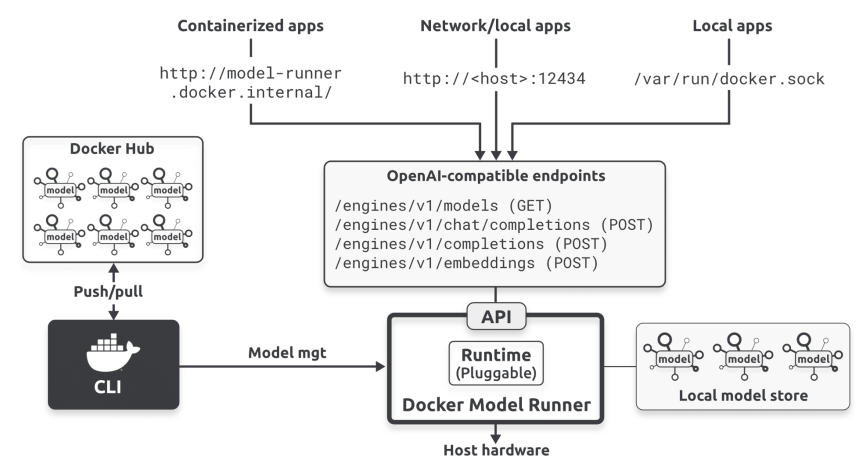
Docker Model Runner – is a runtime process working outside the containers that provides models direct access to host hardware.
OpenAI-compatible endpoints – the same API endpoints as the official OpenAI API uses. Provides access from containers or via the network.
Docker CLI – push and pull models from Docker Hub, and DMR stores them in a local model store.
If Docker Model Runner isn’t already installed:
sudo apt-get update
sudo apt-get install docker-model-plugin
Check if DMR works:
docker model
Exploring docker model is easy and intuitive.
Pull AI models from:
https://hub.docker.com/u/ai
Launch the Web UI for the most convenient use of AI models:
docker model launch openwebui
Go to:
http://127.0.0.1:3000/
In the top left corner, choose one of the pulled models from Docker Hub.
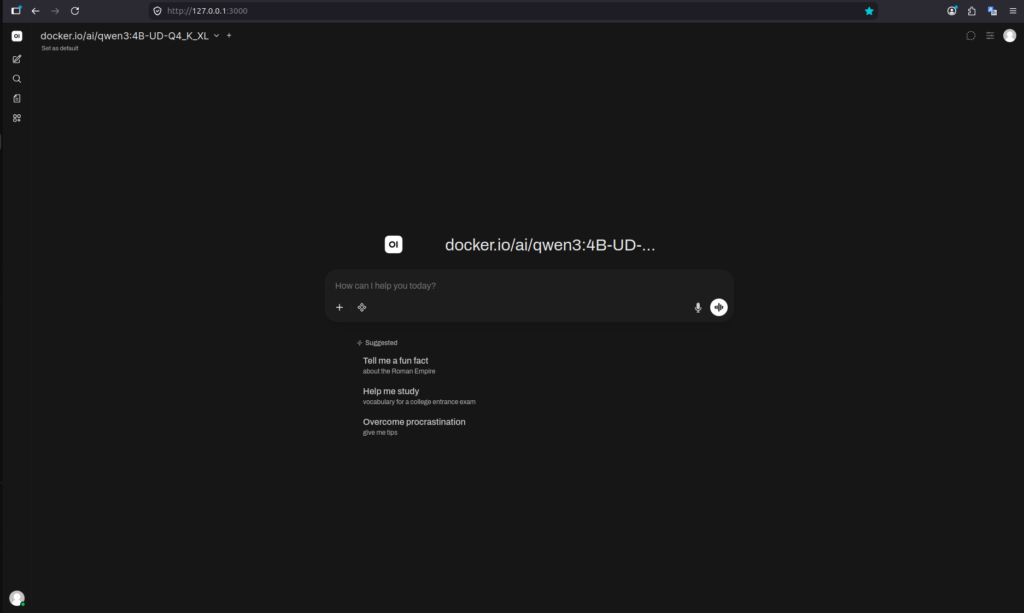
It looks like a typical AI chat.
NOTE!
Remember about https://tailscale.com/ to share your own local AI over the internet and use it everywhere on every device.