
Ubuntu’s own command – Linux IP configuration (like Windows’ ipconfig)
It’s a bit annoying that after using the ip a command, we see unreadable mojibake.
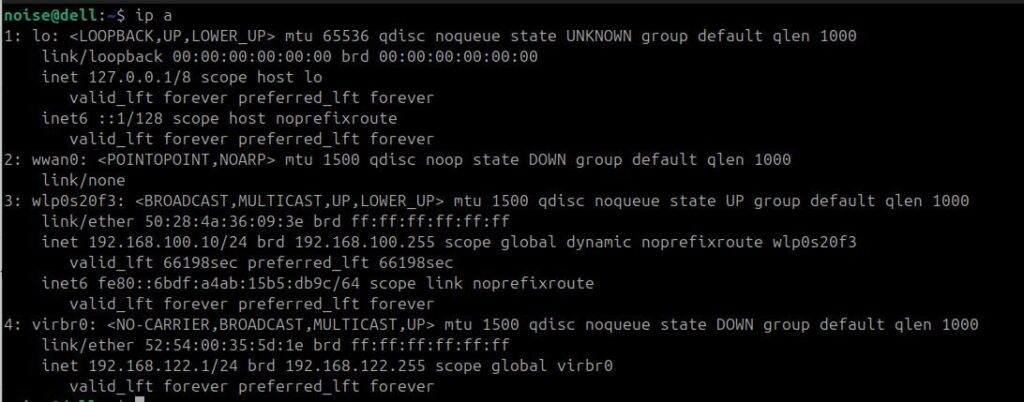
Without a doubt, Windows ipconfig shows more readable info about the device’s IP configuration.
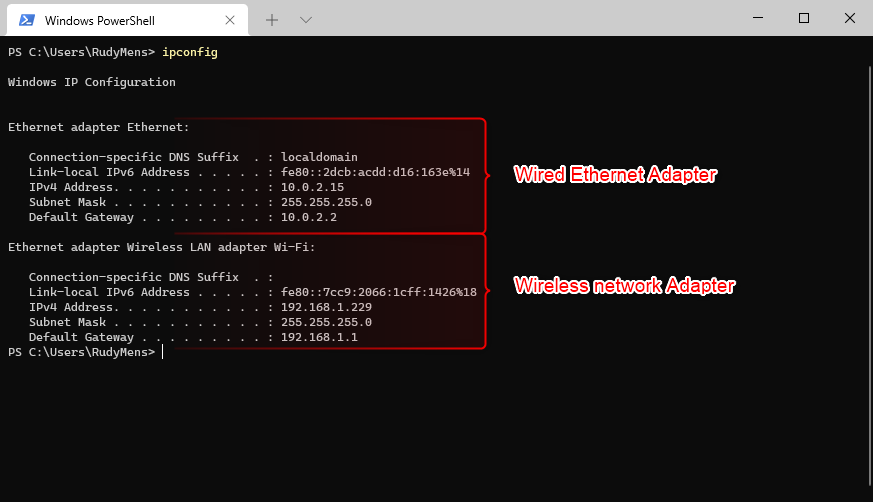
However, it is possible to display readable IP configuration information in Ubuntu as well. To do this, we need to create our own script. The output will show a structure similar to Windows.
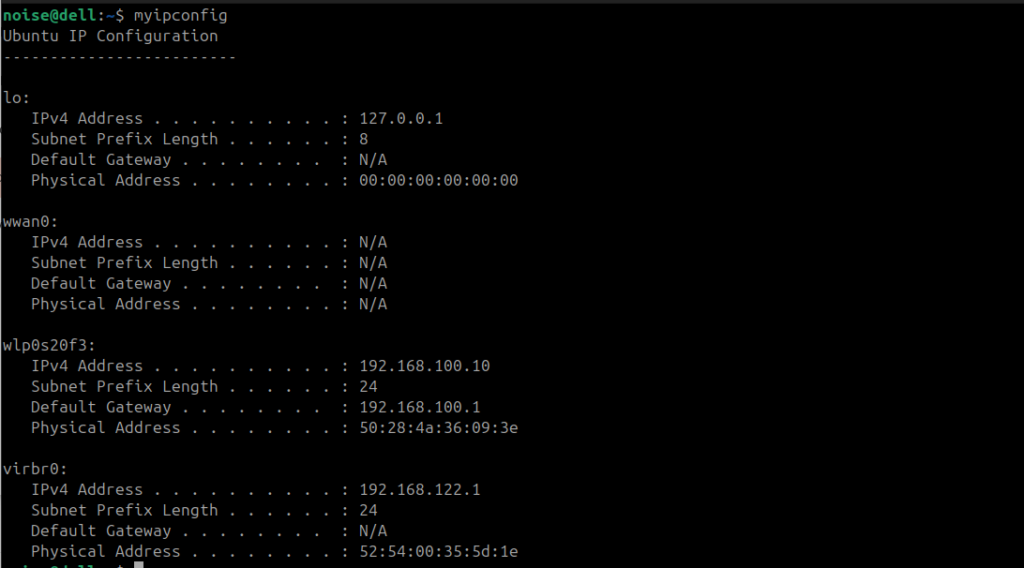
First step is, of course, to create your own command and test it.
Create the script anywhere and later move it to the proper directory.
nano myipconfigNOTE: In Linux, the .sh extension is not required.
and paste the code:
#!/bin/bash

echo "Ubuntu IP Configuration"
echo "-------------------------"

for iface in $(ip -o link show | awk -F': ' '{print $2}'); do
    # Now includes loopback interface too
    echo ""
    echo "$iface:"

    ip_addr=$(ip -4 addr show "$iface" | grep -oP '(?<=inet\s)\d+(\.\d+){3}')
    prefix=$(ip -4 addr show "$iface" | grep -oP '(?<=inet\s)\d+(\.\d+){3}/\d+' | cut -d/ -f2)
    mac=$(cat /sys/class/net/$iface/address 2>/dev/null)
    gateway=$(ip route | grep default | grep "$iface" | awk '{print $3}')

    echo "   IPv4 Address . . . . . . . . . . : ${ip_addr:-N/A}"
    echo "   Subnet Prefix Length . . . . . . : ${prefix:-N/A}"
    echo "   Default Gateway . . . . . . . .  : ${gateway:-N/A}"
    echo "   Physical Address . . . . . . . . : ${mac:-N/A}"
donemake the script executable
chmod +x myipconfigTo make it possible to use your own command from anywhere, we should put it into a directory where Linux searches for commands:
To show all directories included in $PATH:
echo $PATH | tr ':' '\n'But we can also create a new directory and then add it to $PATH in the system.
For personal commands (recommended):
mkdir -p ~/.local/binSo, copy the script to this directory:
cp myipconfig ~/.local/bin/Check if the script was copied:
ls ~/.local/bin/If ~/.local/bin is not in $PATH, then add this to ~/.bashrc file. To do that, open .bashrc file
nano ~/.bashrcAdd this line at the bottom:
export PATH="$PATH:$HOME/.local/bin"The last thing is to reload ~/.bashrc
source ~/.bashrcand you can check if the path ~/.local/bin/ is added to $PATH:
echo $PATH | tr ':' '\n'and test if the script is working anywhere:
myipconfig