
Linux Symbolic-Link & Hard-Link – Real Use Case
HARD-LINK
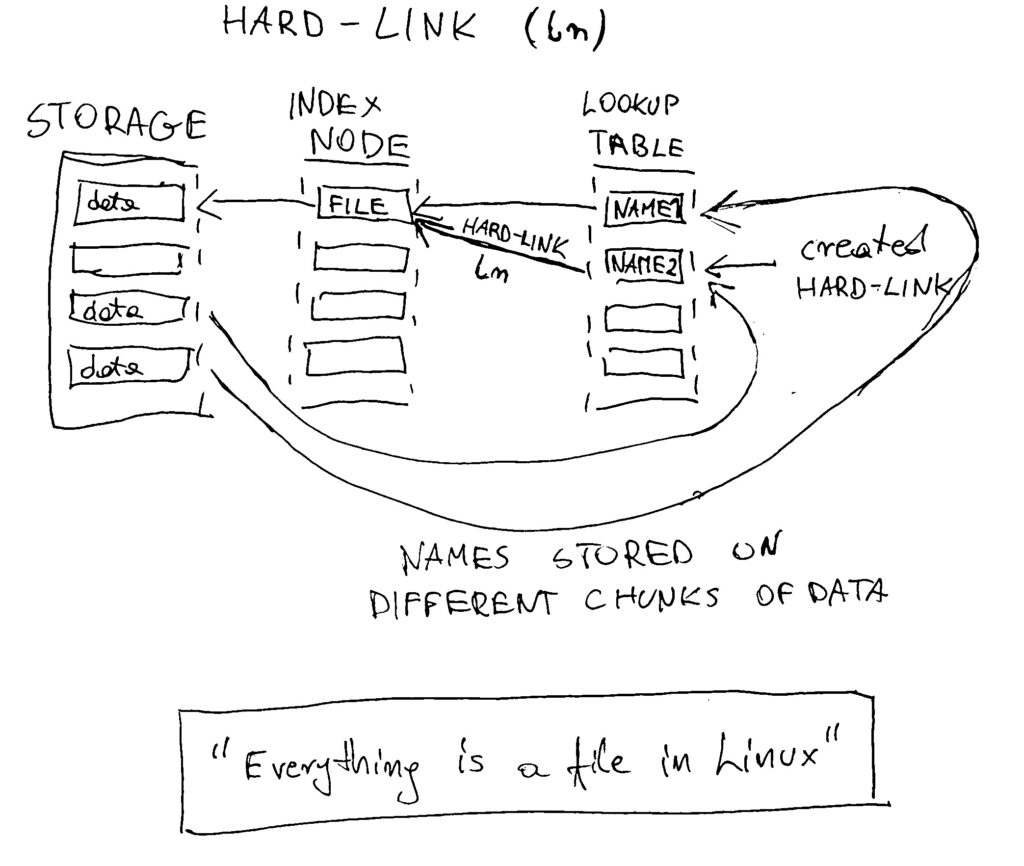
A hard link creates an additional name for the exact same data on your disk. The system does not copy the file but simply adds a new entry to the directory table pointing to the same file ID or inode. Both names are equally valid and share the same physical storage space. The actual data remains on the drive until you delete every single hard link that points to it.
create a hard link to the fun file
ln fun fun-hard
If I check the index node (inode) number, I see that fun and fun-hard are the same
ls -il
4603893 -rw-r--r-- 4 noise noise 2987 Jan 26 20:16 fun
4603893 -rw-r--r-- 4 noise noise 2987 Jan 26 20:16 fun-hard
We also see the file has 4 links, which means the original file plus 3 created links.
SYMBOLIC-LINK (soft link or sym-link)
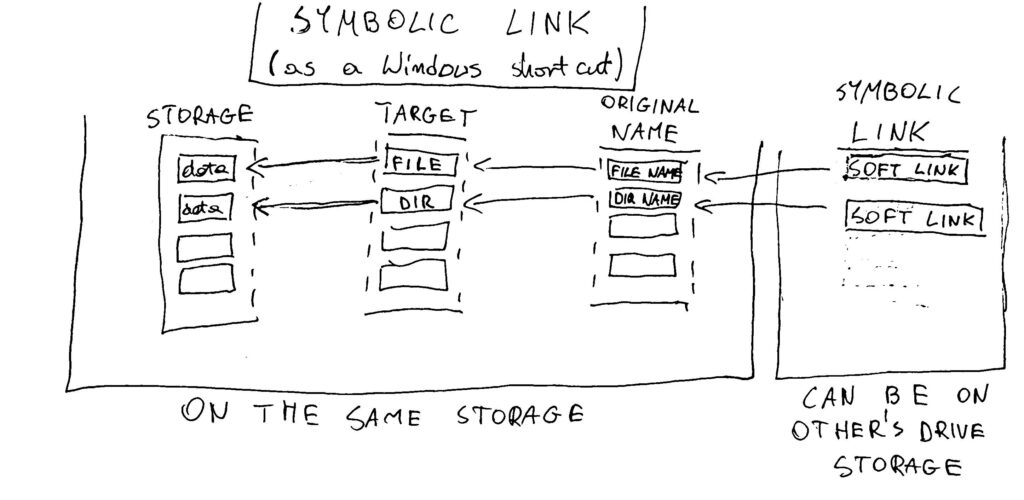
A symbolic link is a separate small file that contains the text path to another file. It acts like a shortcut or signpost rather than being the file itself. Because it only points to a name, it has its own unique ID number and can point to files on different drives. If you move or delete the original file, the symbolic link breaks because the path it points to no longer exists.
create a symbolic link to the fun file
ln -s fun fun-sym
and check it
ls -il
output:
4603893 -rw-r--r-- 4 noise noise 2987 Jan 26 20:16 fun
4603893 -rw-r--r-- 4 noise noise 2987 Jan 26 20:16 fun-hard
4603738 lrwxrwxrwx 1 noise noise    3 Jan 27 14:29 fun-sym -> fun
Look! The created symbolic link is not on the same inode.
creating a symbolic link to a directory one level up
ln -s ../fun dir1/fun-sym
You have to create a symbolic link from the LINK PERSPECTIVE. That is why ../fun is used.
check it
ls -il dir1/
output:
4604396 lrwxrwxrwx 1 noise noise 6 Jan 27 14:30 fun-sym -> ../fun
MY USE CASE
My image converter was placed in the directory where it is executed. This can be dangerous because it is possible to accidentally delete the script instead of an unnecessary picture.
By default, the Converter program was placed in:
/home/noise/Pictures
I decided to move the Converter into the /opt folder because it is reserved for add-on software packages that are self-contained.
I went to the /opt folder and moved the Converter into /opt
sudo mv ~/Pictures/Converter/ .
Now it is time to create a symbolic link with absolute pathnames
ln -s /opt/Converter /home/noise/Pictures/
check it
ls -il /home/noise/Pictures/
4606780 lrwxrwxrwx 1 noise noise 14 Jan 27 16:23 Converter -> /opt/Converter
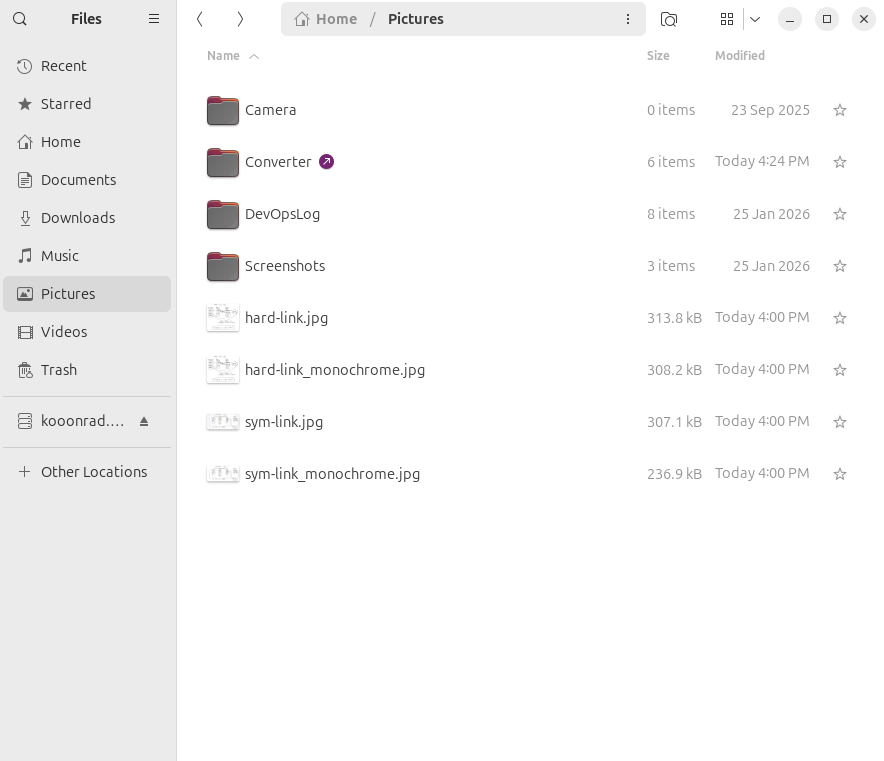
Here we go. We can see that the symbolic link is created and the Converter works properly. Everything is like before, but my program is safe from accidental deletion while using scripts. If I need this, I can quickly create a new sym-link for any location on my Linux system. In the GUI, I see a shortcut icon similar to a Windows shortcut.
That’s all.
Thanks.